Hello Readers, in this article, I would like to share with you the official website of the Niger Delta University (NDU Portal) and its benefits. I would also like to do justice to searches like NDU Student Portal, NDU Result Portal / Checker, NDU Post UTME portal, Postgraduate Portal, and many more, but before that, let’s do some introduction.
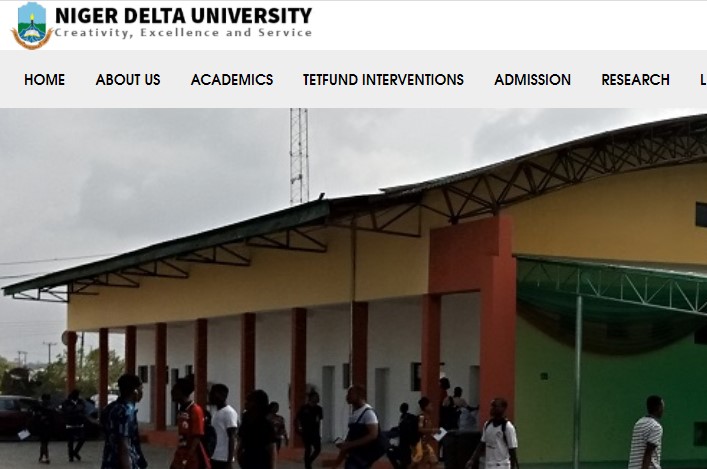
Niger Delta University is on Wilberforce Island, Bayelsa State, in Nigeria. It is a Bayelsa State government-funded university. It was established in 2000. The Vision and Mission of the university are summarized in the motto (Creativity, Excellence, Service).
RECOMMENDED ARTICLES
- Niger Delta University Post UTME
- Niger Delta University Courses Offered
- Niger Delta University Admission List
- Niger Delta University Cut Off Mark
List of Niger Delta University (NDU) Portal / Website
Below are the lists of domains registered by the Niger Delta University for easy communication from the institution management to the public.
- WWW.NDU.EDU.NG: This portal is created as the powerhouse of the Niger Delta University. This is where all the latest news and information is passed across to the public for easy access. The website contains pages like the About Us, and Contact Us pages. It also links to the Postgraduate, Staff, Visitor, Alumni portal, and more.
- WWW.SRM.NDU.EDU.NG: This is the Niger Delta University student portal; it is where newly admitted student and returning student can access their student profile after they input their Username and Password in the required column. However, on this portal, admitted candidates can make payments, course registration, check their semester results, and many more.
- WWW.NDUPORTAL.COM/SCREENING: As admitted candidates have their own portal, those looking forward to gaining admission into the Niger Delta University have their own portal for registration as well. This portal is where NDU undergraduates enter their bio information and credentials.
- WWW.NDUFEES.COM: This is the Niger Delta University payment portal.
Niger Delta University Tuition Fee Payment Procedure
- Log on to the institution’s online payment platform, www.ndufees.com
- Login with your details
- From your Dashboard, click on Pay Fees and select “SCHOOL FEES‟
- Next is to generate your e-teller
- You can either make payment with your printed e-teller at any Diamond bank or proceed to make online with your Internet Banking enabled Debit Card (Mastercard, Verve card or Visacard).
- After payment, you need to return to your profile to print your receipt.
IF YOU FIND THIS ARTICLE HELPFUL SOMEONE MIGHT ALSO NEED IT SO DON’T HESITATE TO SHARE.
THANKS FOR VISITING NEWSEDUNG, LEAVE A COMMENT BEFORE CLOSING THE TAB.